
Asensus AugmentOR: A Streamlined Mobile Platform for Surgical Case Review
UX Research, Product Design, Information Architecture, Interaction Design, Prototyping, Usability Testing
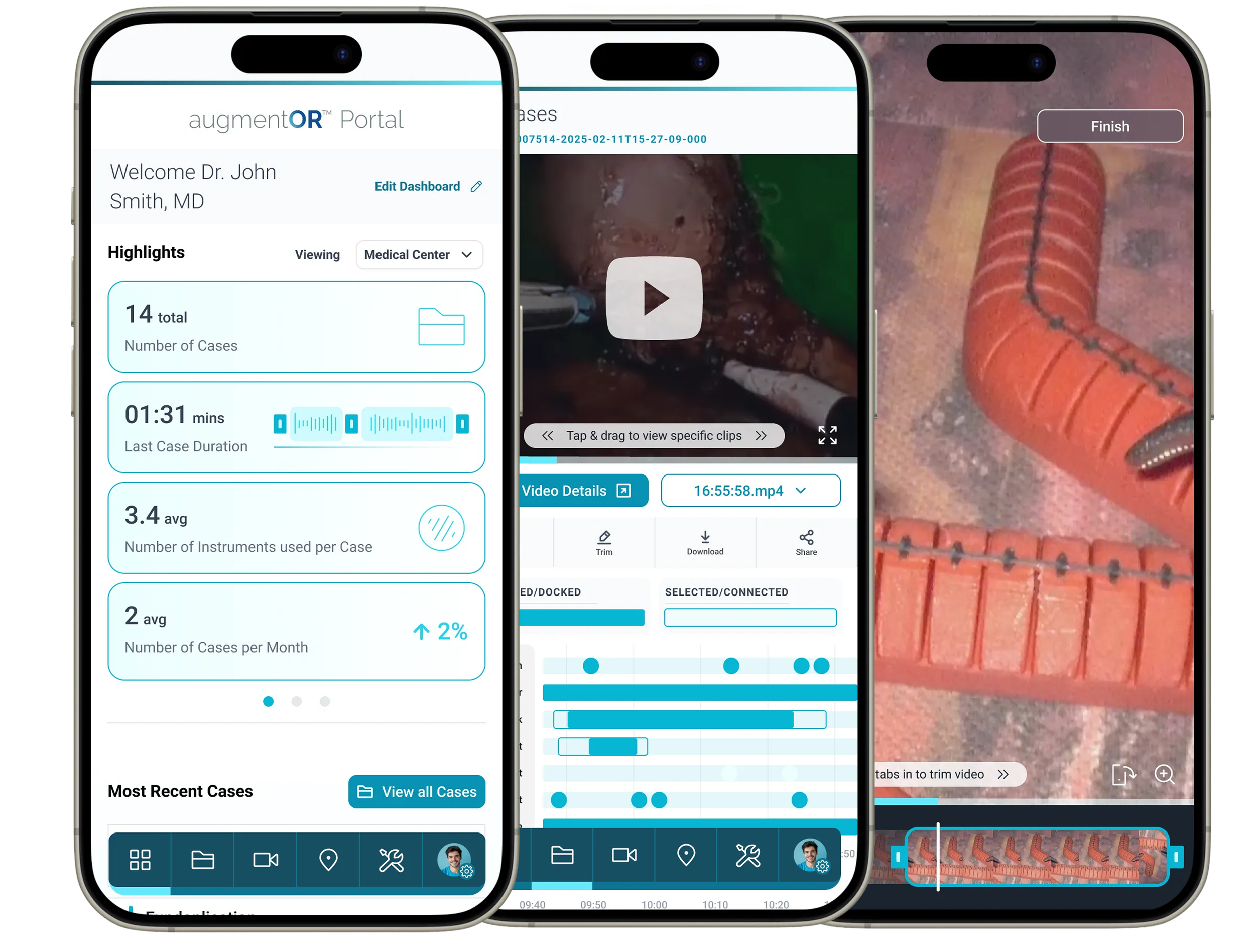
What is Asensus AugmentOR?AugmentOR is Asensus Surgical’s mobile platform that gives surgeons and clinical teams fast access to key surgical insights. It brings case metrics, instrumentation usage, timelines, and video highlights into one simple, accessible place.
CHALLENGE:
Surgeons and internal teams were relying on visually outdated dashboards, clunky video files and hospital‑bound tools that made reviewing cases slow and frustrating. The goal was to create a single, mobile‑first experience that reduced cognitive load, supported fast decision‑making, and aligned to real surgical workflows.
RESULTS:
Faster access to case insights and video moments
Reduced cognitive load through simplified data visualization
Build a design system and navigation model that could grow with the platform.
A scalable mobile foundation ready for future features
Modernize the visual language into something clean, calm, and clinically aligned.
PROTOTYPE:
My Role
UX/Product Design Lead – My goal was to understand how surgeons actually move through their day and design something that supported them instead of slowing them down. I led the project from early research through high‑fidelity design and prototyping, making sure every decision stayed grounded in real workflows.
Team
Worked closely with distributed teams across Israel, Germany, and Boston, collaborating with product owners, leadership, account managers, and engineers to keep the product aligned and moving efficiently.
Tools Used
Figma
Timeline
1-2 months
The Approach
Ran targeted research sessions to understand surgeon and internal team needs.
Created quick, clear user flows and prototypes to validate workflows early.
Structured content and data in a way that supports fast case review.
Built a scalable navigation and IA model aligned to real workflows.
Developed UI patterns that feel clean, intuitive, and clinically focused.
Objectives
Provide quick access to high‑value insights within one or two taps.
Reduce cognitive load when reviewing complex surgical data.
Support multiple user types with permission-based navigation.
Create a scalable foundation for future features (digital assets, video review, analysis tools).
Improve clarity around case insights, timelines, instrumentation, and performance metrics.
Deliver a polished, modern UI that aligns with the clinical precision of Asensus.
Deliverables
Interactive flows and wireframes
Simplified content strategy
Requirements alignment with product and engineering
High‑fidelity prototype
Use cases and scenarios
Usability testing insights
Lightweight design system
Visual design patterns
Old Design
The previous dashboard surfaced valuable data, but the layout was dense and required users to interpret multiple charts and summaries at once.
System listings were functional but visually overwhelming, making it difficult for users to scan, prioritize, or understand system status quickly.
Case details were buried in long lists and video timelines without hierarchy, forcing users to manually dig for the moments and insights they needed.
Sitemap: Internal & External Views
Requirements Gathering
Product Design
Every screen was rethought to support how surgeons naturally move through pre-op planning, post-op review, and teaching moments.
The design prioritizes hierarchy, fast scanning, and direct interaction patterns so users can get to the insight they need with minimal steps.
Specific Screens & Product Design Choices
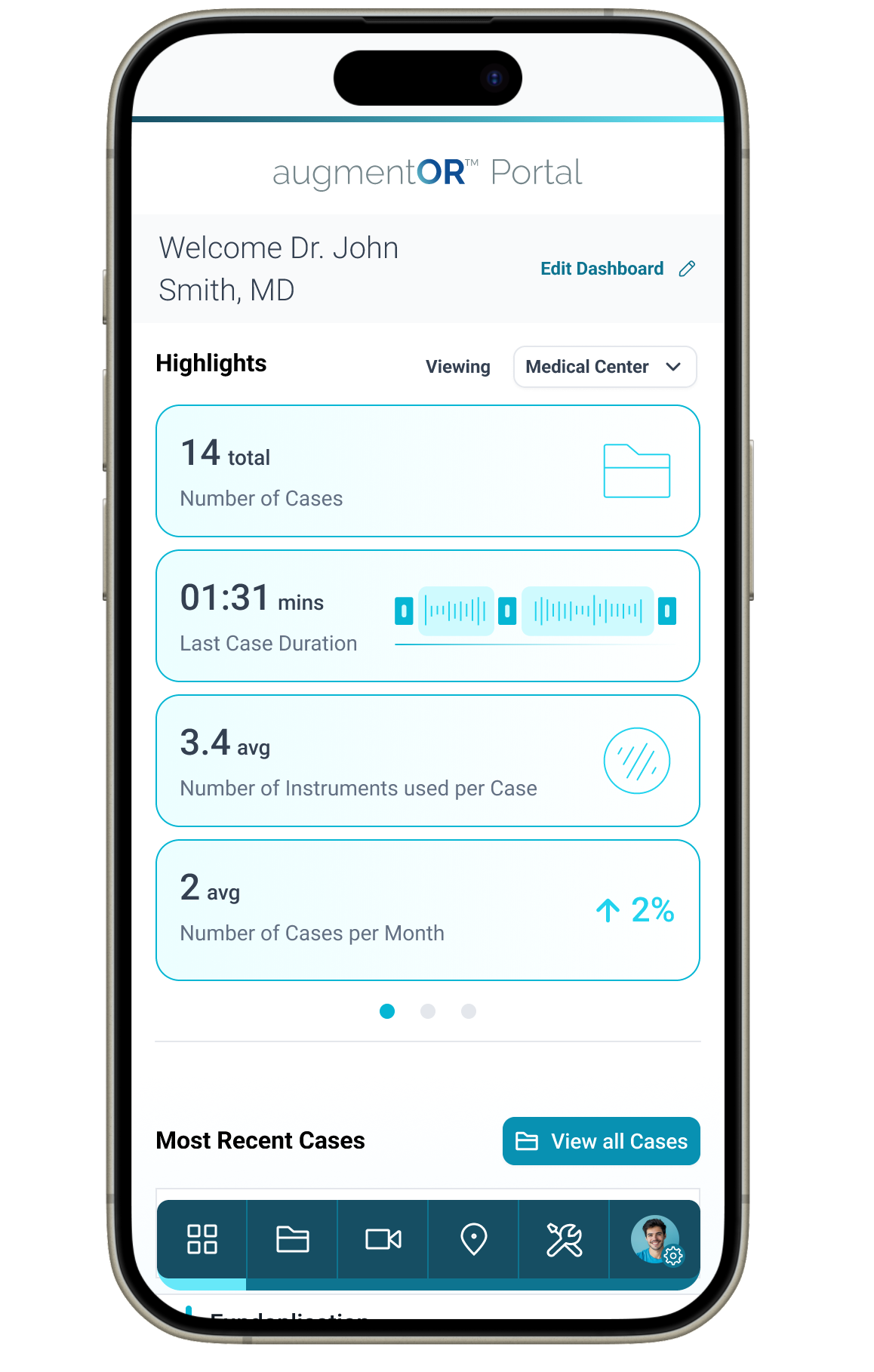
Redesigned the dashboard to surface only essential insights, cases, duration, instrument usage, optimizing for quick scanning and reduced cognitive load.
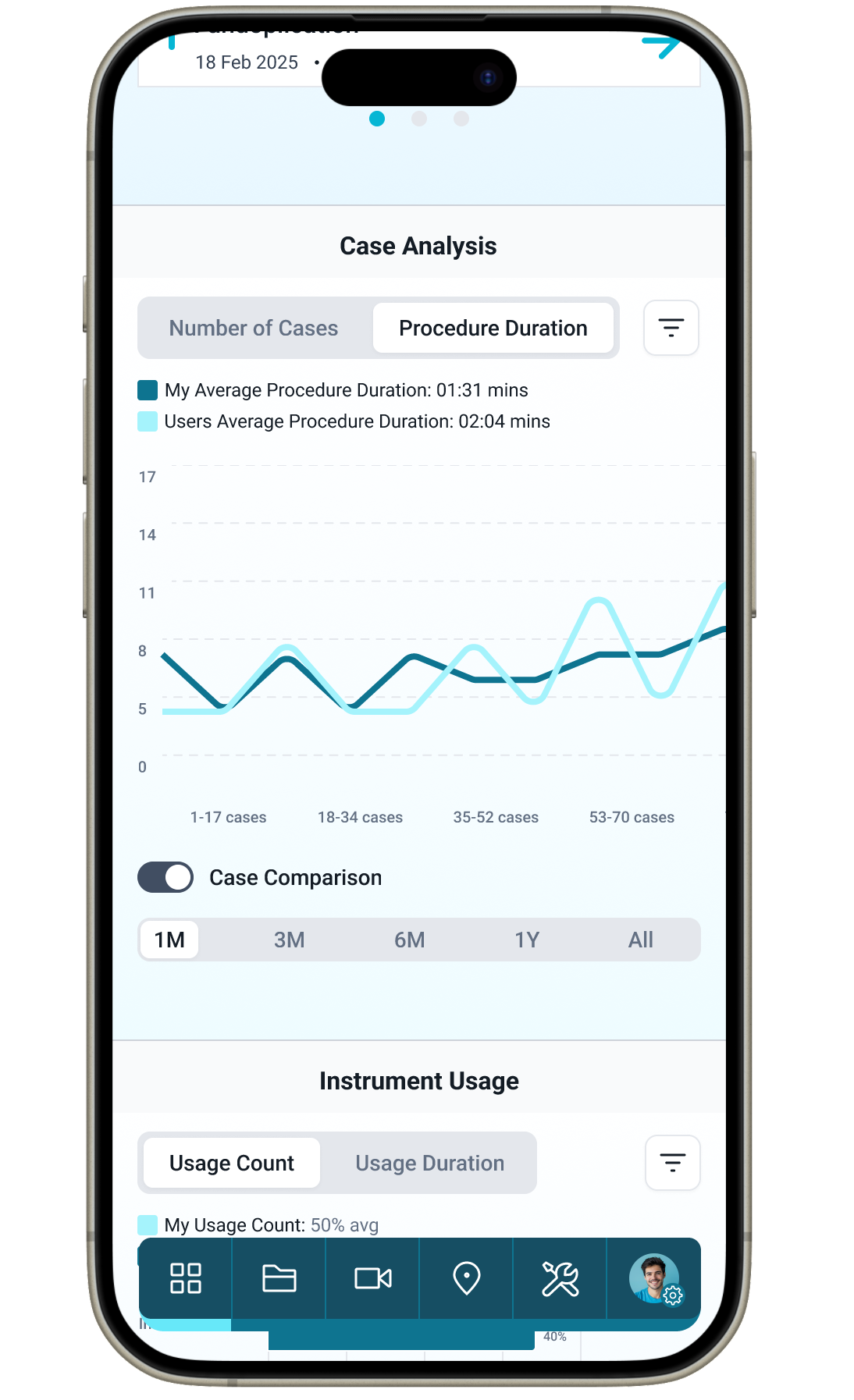
We learned that surgeons loved to compare their trends with their peers, so we included a case comparison toggle. This supported motivation and deeper insight when needed.
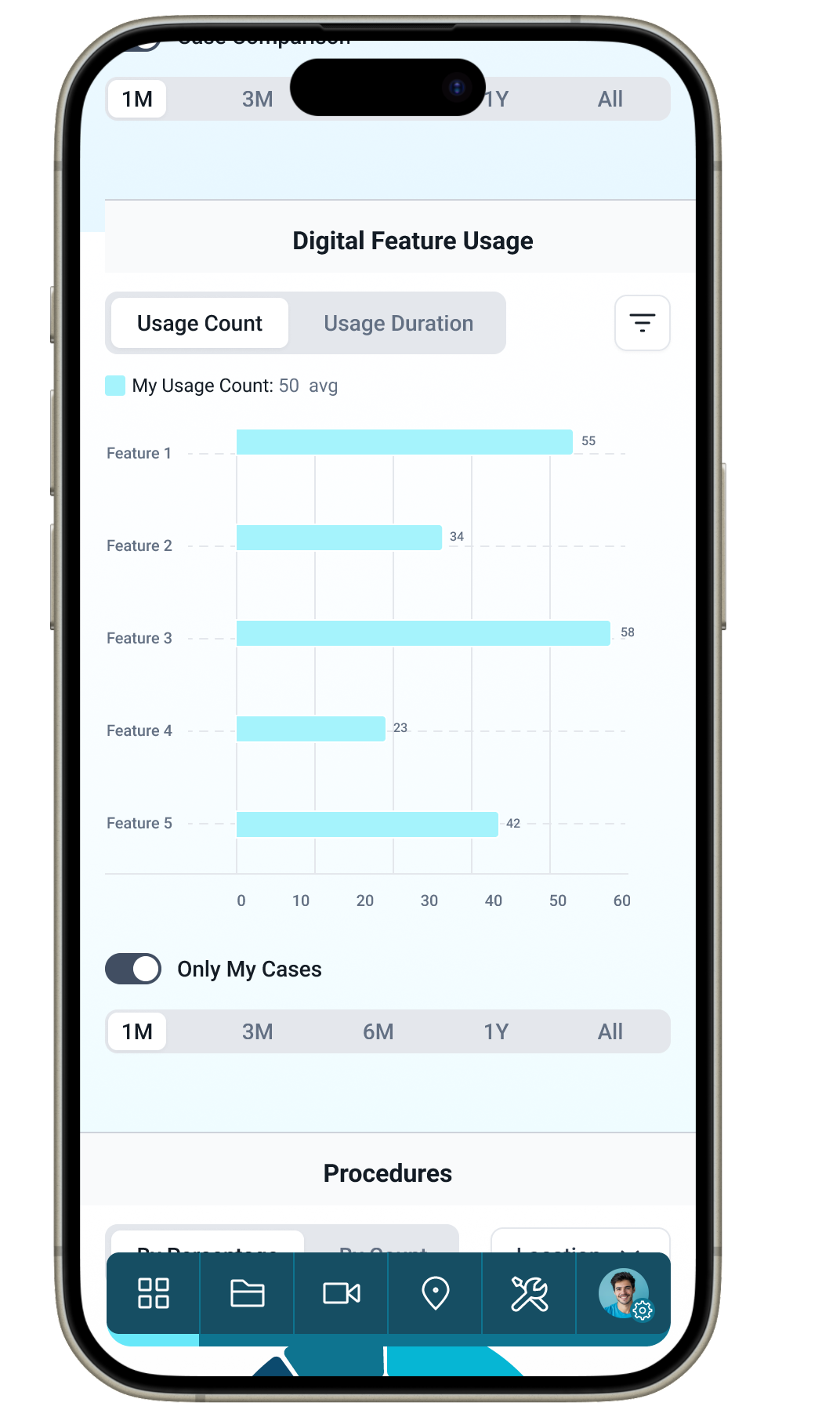
At the same tome the user could focus their results on only their stats which helps surgeons quickly understand their own performance without extra visual noise.
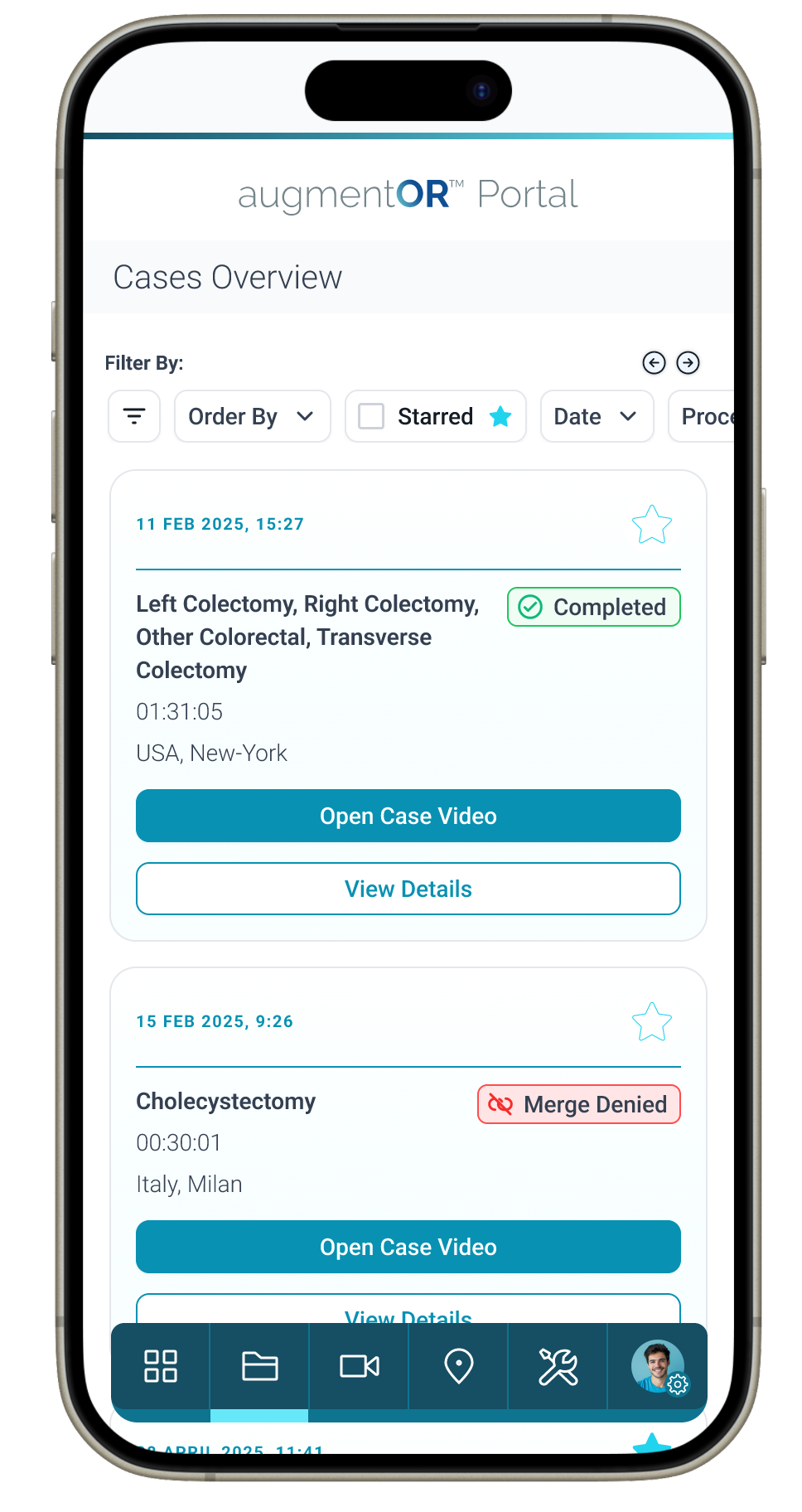
Improved hierarchy and labeling to make case lists easier to scan, with clear status indicators and direct entry points into review flows.
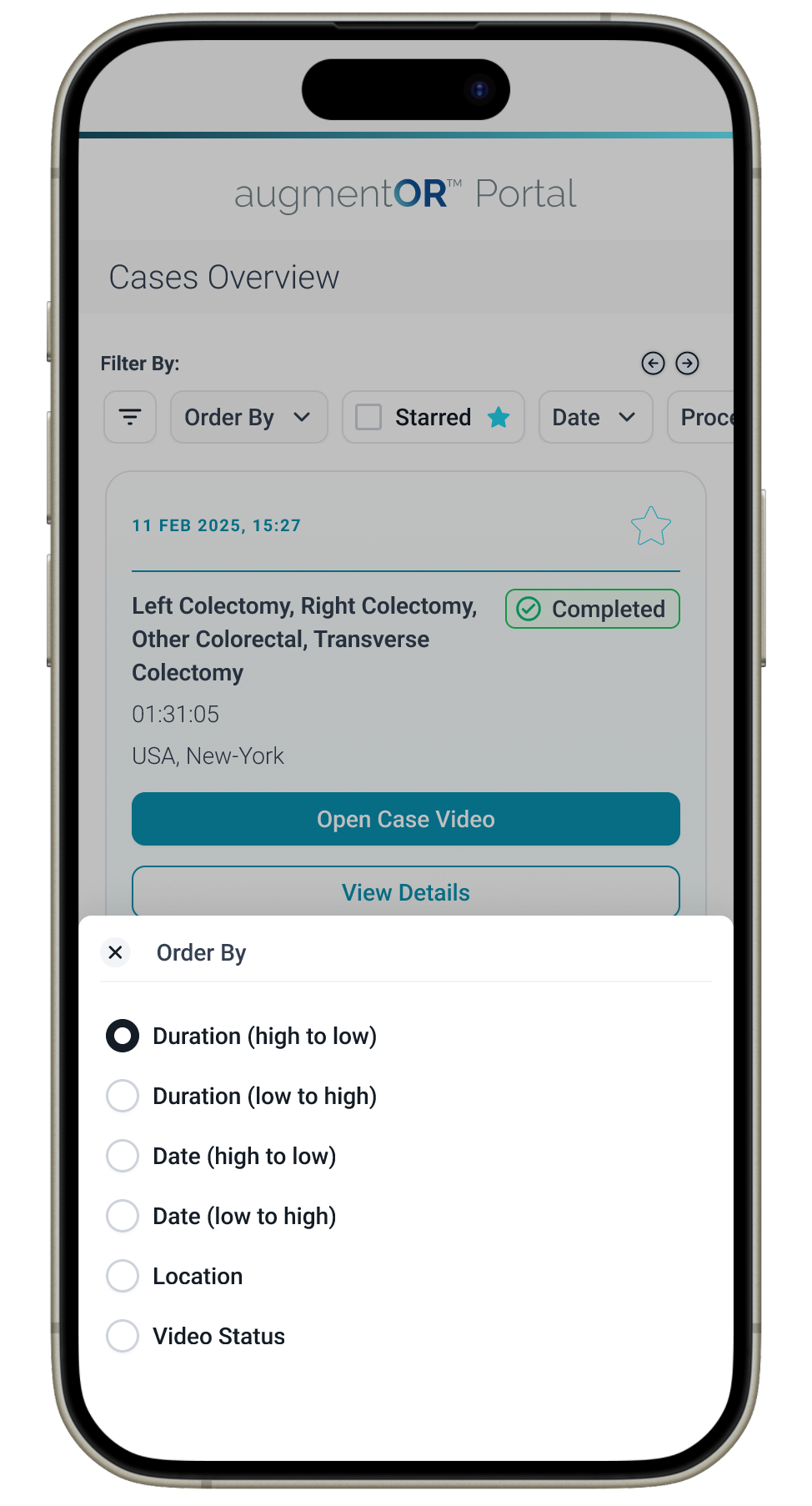
Vastly improved filtering on mobile using mobile triggers and touchpoints. Streamlined filtering and sorting to support fast retrieval of cases based on real surgeon behaviors and review patterns.
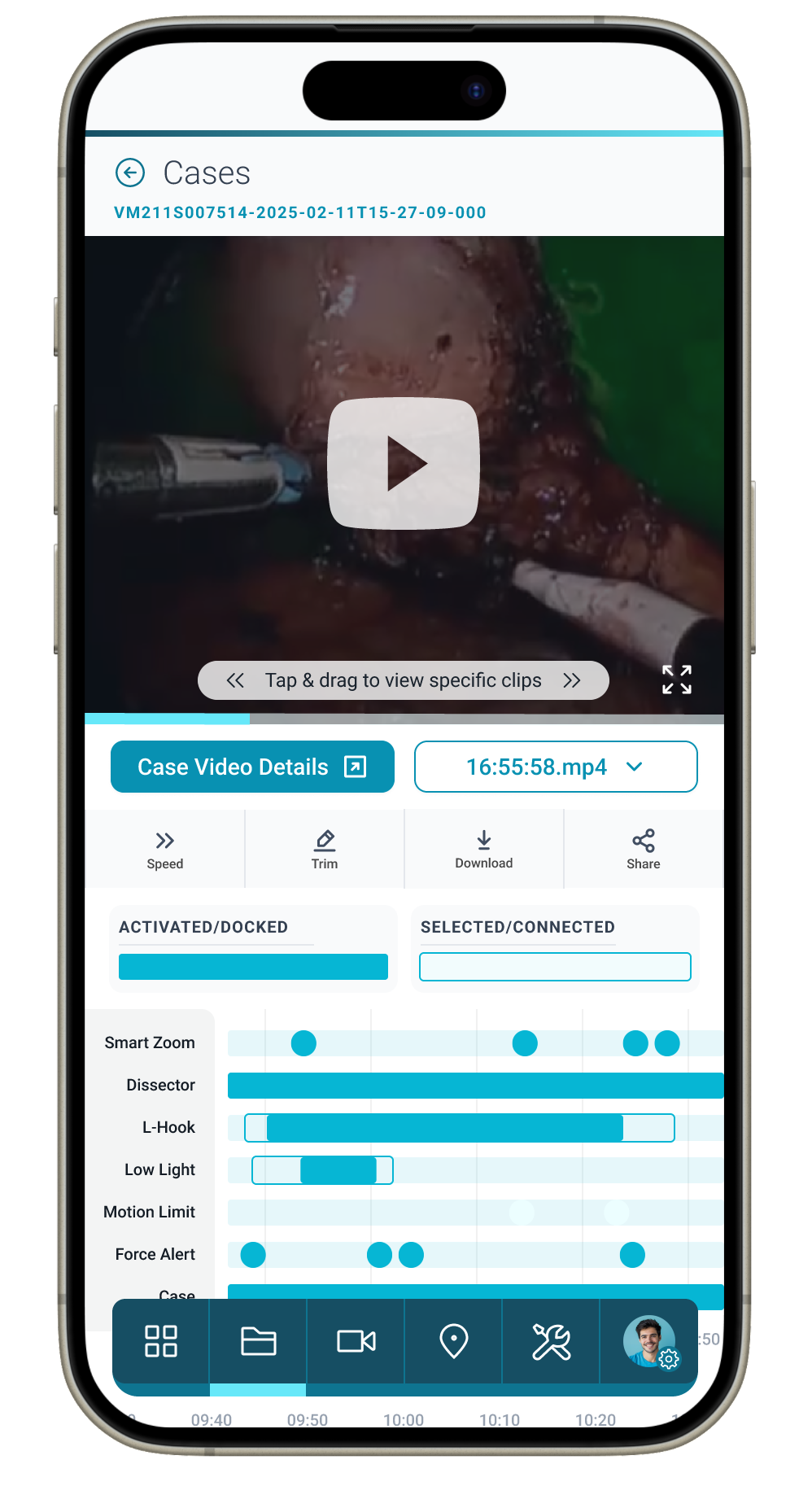
Unified video playback with a synchronized instrument timeline to give surgeons context on how tool usage aligns with procedural moments.
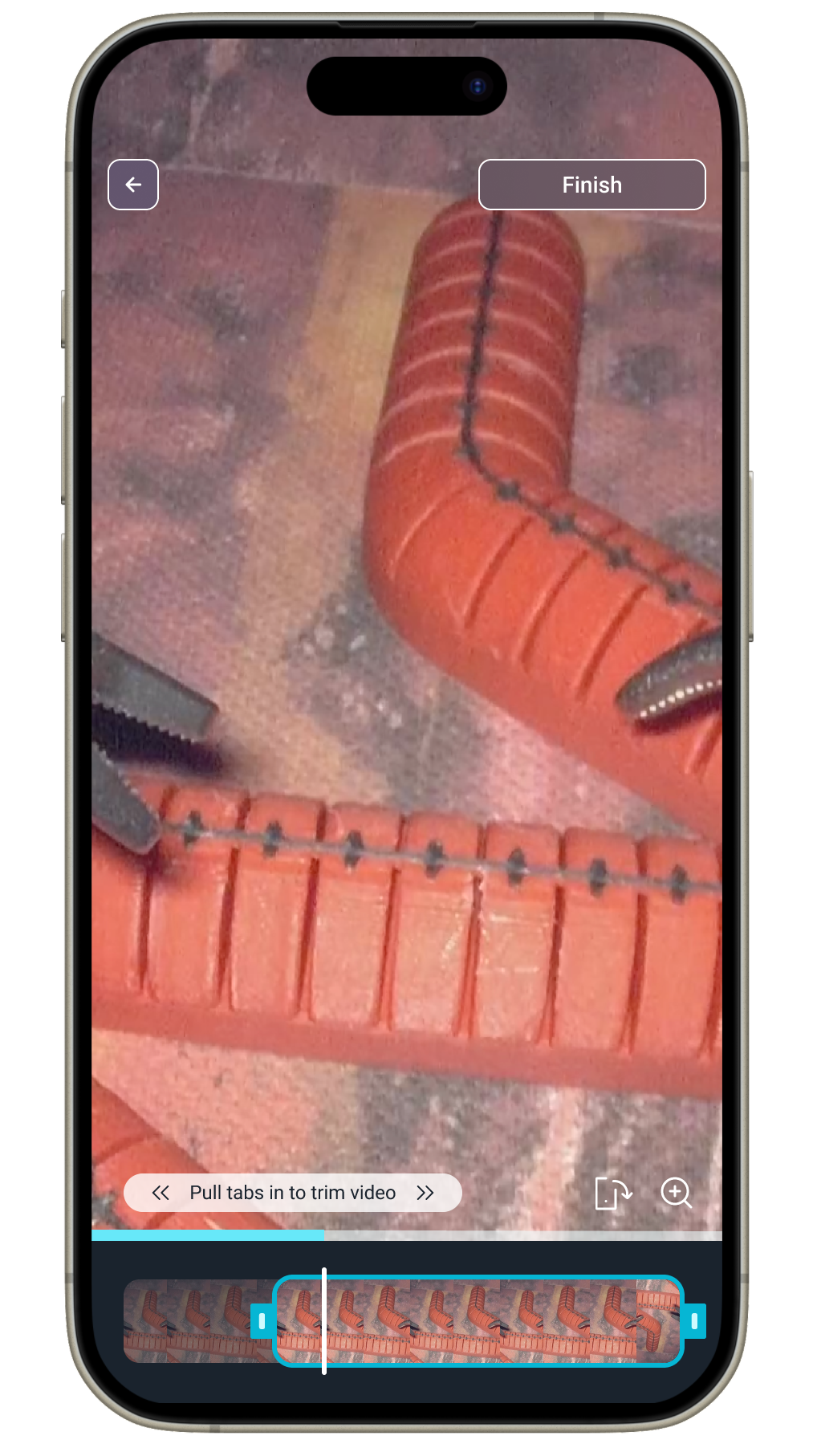
Designed a touch-friendly trimming interface modeling best of class mobile video player tools that makes editing surgical footage fast and precise.
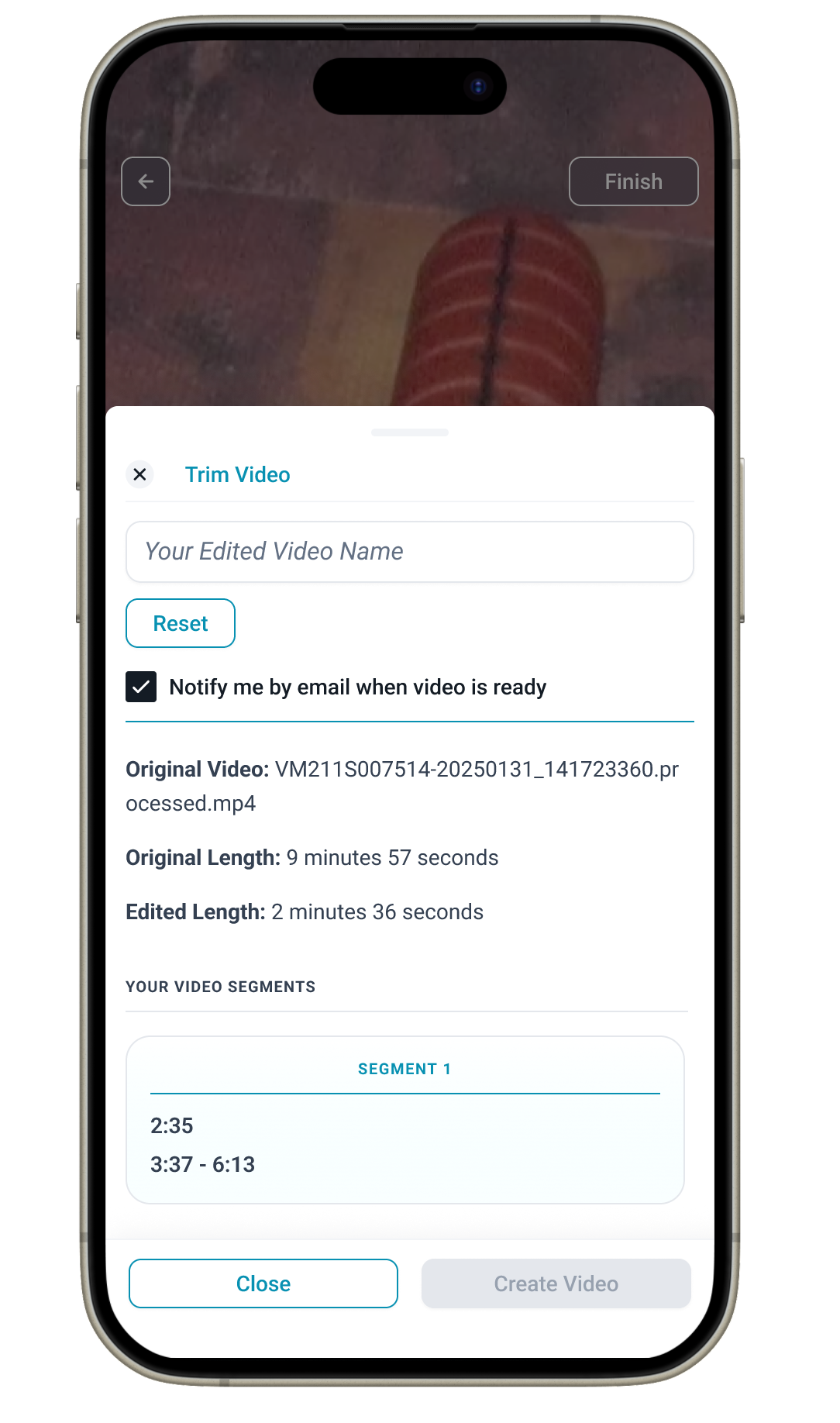
Created a simple segment manager so surgeons can name, review, and finalize clipped moments before saving or sharing.
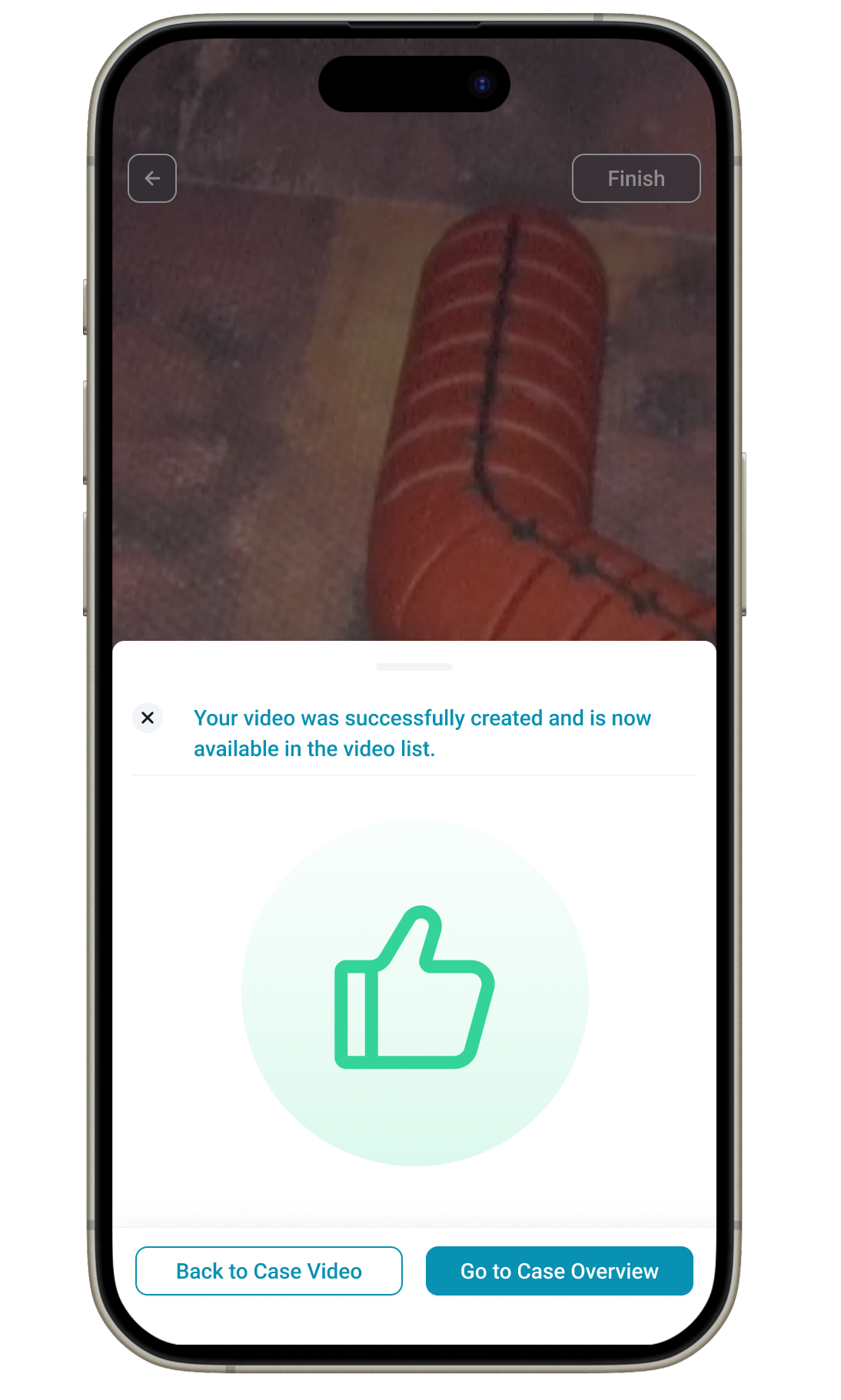
Added a clear confirmation state to reinforce trust and close the loop after generating clips, reducing uncertainty in multi-step workflows.
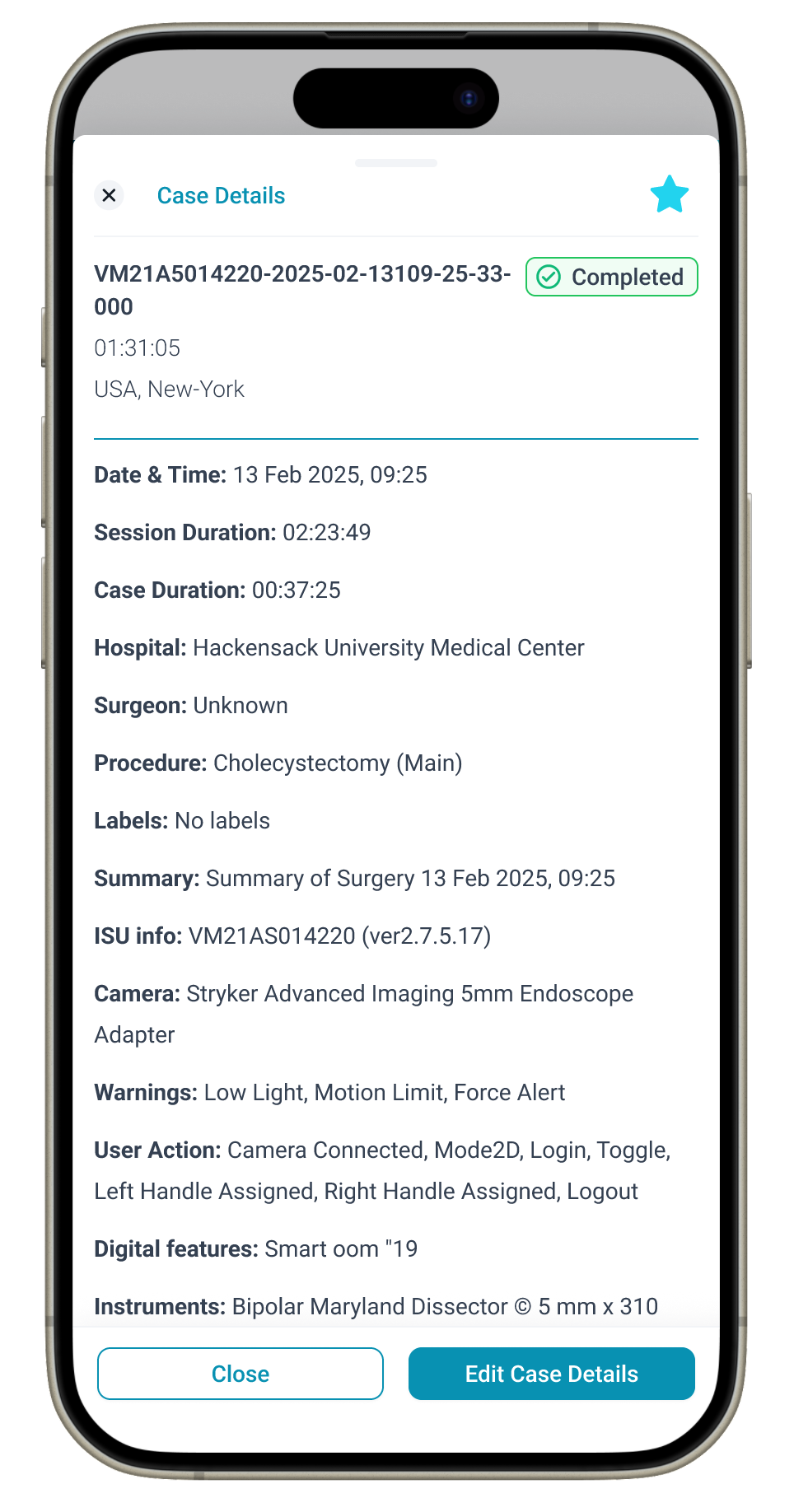
Structured complex case metadata into organized sections to reduce scanning effort.
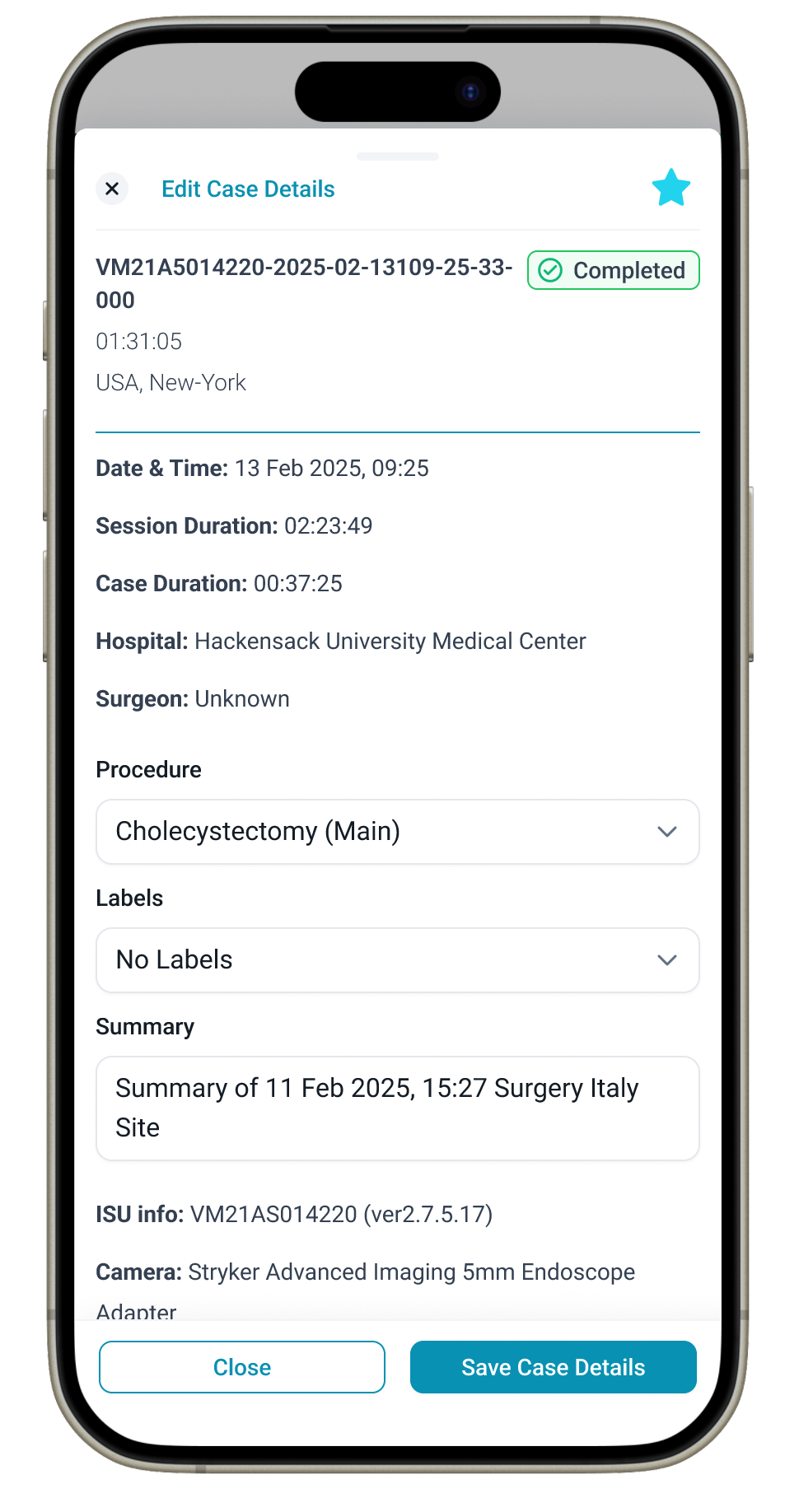
Improved accuracy when updating or reviewing details by supplying inline editing.